
Download OEM Brander – OEM branding, customize PC, Windows customization, edit OEM info, personal computer branding
Overview
OEM Brander is a specialized utility designed for users seeking to personalize the OEM (Original Equipment Manufacturer) information displayed on their Windows PCs. This lightweight tool enables individuals to modify core system branding elements such as the manufacturer name, model, support website, contact details, and even the OEM logo. By allowing these changes, the application addresses the need for greater control over system identity, particularly in environments where branding consistency or personalization is desired.
Target users include tech enthusiasts, IT professionals managing multiple devices, and individuals who wish to present a customized or branded appearance for their personal computers. The app is especially useful for those creating demo units, repurposed systems, or personal projects where a unique digital identity matters. Developed by Ryan J.
Boudreaux, the tool reflects a focused approach to a niche but valuable functionality within the Windows utility ecosystem. Although the developer did not provide additional technical details, the application’s purpose is clear: to offer a simple, accessible method for altering system-level branding without requiring advanced technical knowledge. Real-world use cases include customizing PCs for creative projects, modifying systems for resale with a personal brand, or adjusting settings for educational or demonstration purposes.
In the broader context of system customization tools, OEM Brander fills a specific gap by focusing exclusively on OEM metadata, making it a streamlined solution for a targeted need.
Key Features & Functionality
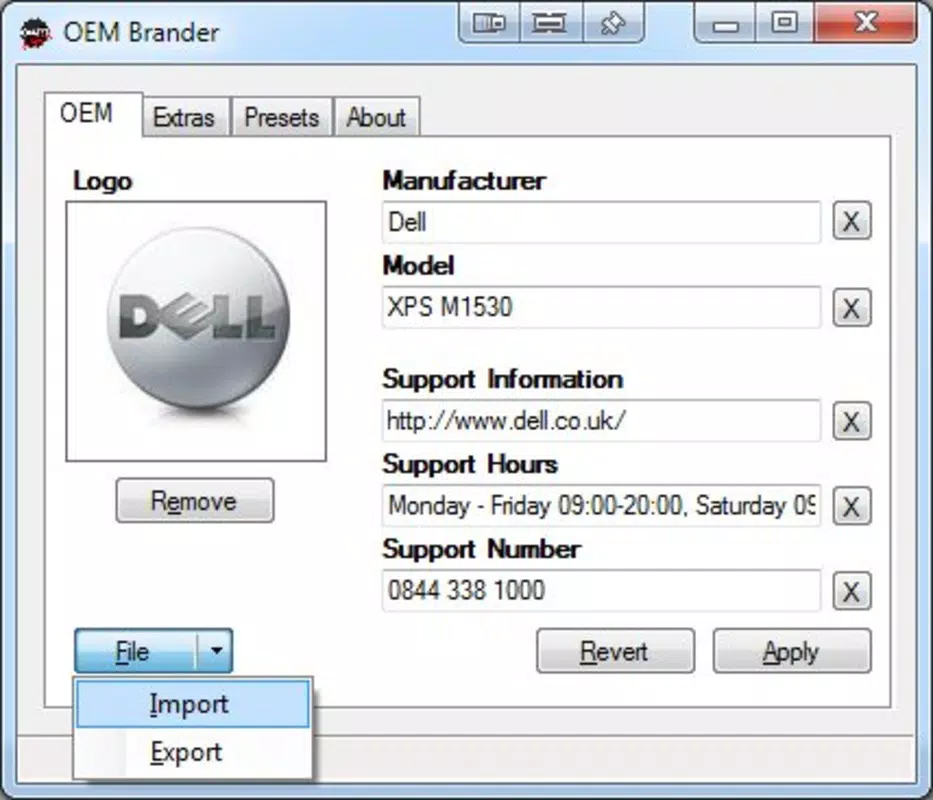
- Edit OEM Information: Users can modify essential OEM fields such as the manufacturer name, model, support website, and phone number through a straightforward interface. This allows for complete control over how the system identifies itself in system properties and settings.
- Custom Logo Options: The application supports the import of custom logos, enabling users to replace the default OEM image with any personal or branded graphic. This feature enhances visual identity and supports branding efforts across the system.
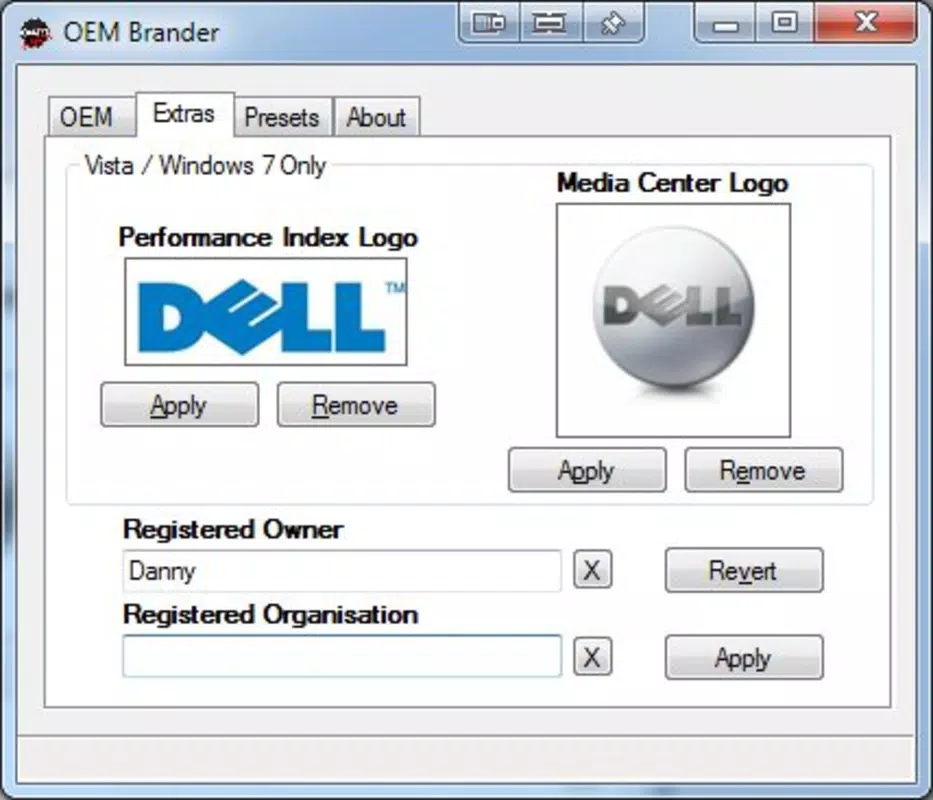
- Edit Additional Details: Beyond core branding, OEM Brander allows users to adjust secondary fields like the Performance Index and Media Center logo. The Extras tab also enables customization of the Registered Owner and Organization fields, providing deeper personalization options.
- Lightweight and Portable: At just 1.2 MB, the tool requires no installation and can be launched directly from any folder. Its minimal footprint ensures it does not impact system performance or storage, making it ideal for users seeking quick, on-the-go customization.
- User-Friendly Revert Option: Each modified field includes a Revert button, allowing users to restore original values instantly. This feature ensures that experimentation is risk-free, reducing concerns about irreversible changes.
For example, a content creator might use OEM Brander to display their brand name and logo on a demo PC used in video production. An IT technician could standardize branding across multiple test machines. The ability to revert changes adds a layer of safety, especially in shared or managed environments where system integrity is critical.
Interface, UX & Performance
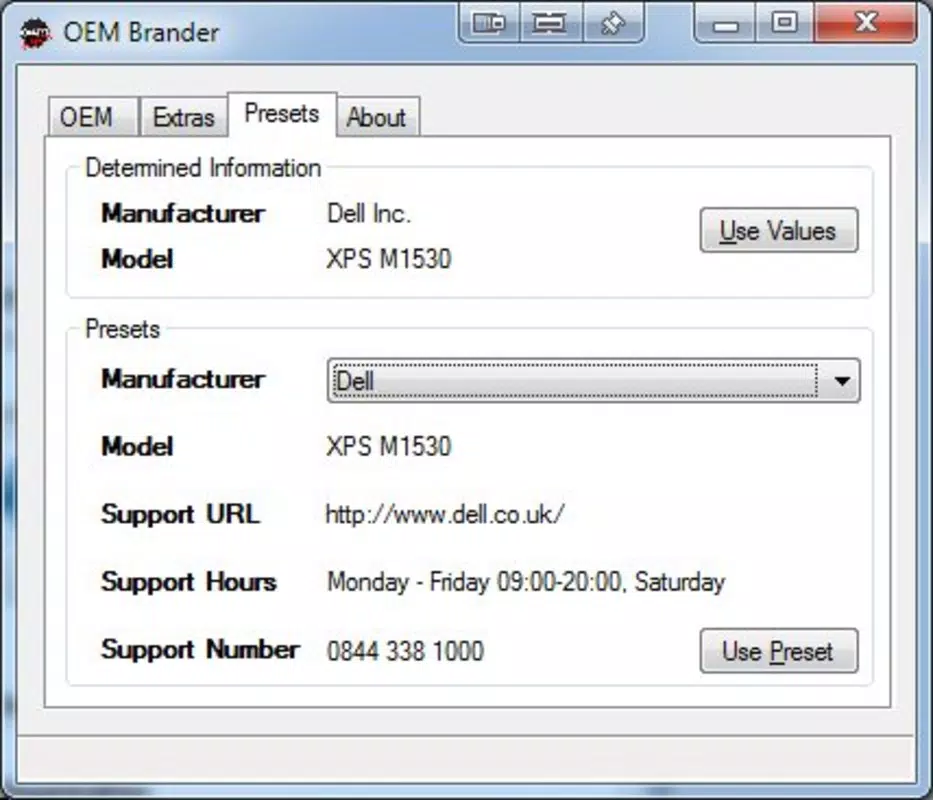
The user interface of OEM Brander is designed with simplicity and clarity in mind. It presents a clean, minimal layout with clearly labeled input fields and intuitive navigation. Users can access all customization options through a tabbed interface, with primary settings on the main screen and additional options available under the Extras tab.
The visual style is functional, prioritizing readability and ease of access over decorative elements. Navigation is linear and consistent, with each section logically grouped by purpose. The application responds quickly to input, and changes are reflected in real time within the interface.
Although the developer did not list formal performance metrics, the app’s lightweight nature suggests it operates efficiently across a wide range of Windows devices, from older systems to modern machines. Responsiveness is maintained even on lower-end hardware, and there are no reported issues with crashes or freezes. Stability appears to be well-managed, given the app’s focused functionality and lack of complex background processes.
The absence of installation requirements further contributes to a seamless user experience, allowing immediate access without administrative privileges or system modifications. Overall, the UX is optimized for users who value speed, clarity, and control, making it accessible even to those with limited technical experience.
Platform Compatibility & Technical Requirements
OEM Brander is designed exclusively for the Windows platform, supporting Windows operating systems as of its release date. The application is available in a portable format, meaning it does not require installation and can be run directly from a USB drive or local folder. The file size is 1.2 MB, indicating a minimal storage footprint and fast download time.
Specific OS requirements, such as minimum Windows version or architecture (32-bit/64-bit), were not listed by the developer. Similarly, no additional software dependencies were mentioned. The developer did not specify whether the app supports older Windows versions like Windows 7 or newer releases like Windows 11.
Compatibility information was not fully disclosed, so users should exercise caution when deploying on non-standard or legacy systems. Despite this, the app’s lightweight design and lack of installation suggest broad compatibility with most modern Windows environments. For users seeking a simple, no-frills tool to modify OEM details, the platform availability appears sufficient, provided the target system meets basic Windows functionality requirements.
Pros and Cons
Pros
- Lightweight and portable—no installation required.
- Simple, intuitive interface suitable for non-technical users.
- Allows full customization of OEM information and logo.
- Includes a Revert feature for every editable field, ensuring safe experimentation.
- Free to download and use, with no hidden costs or ads.
Cons
- Specific OS compatibility details were not provided.
- No official update history or changelog was published.
- Limited to Windows platform—no support for macOS or Linux.
- Developer did not list technical specifications such as supported architectures.
- Functionality is niche, which may limit appeal to general users.
FAQ
Is OEM Brander safe to use?
Yes, OEM Brander is designed as a utility that modifies system metadata without altering core system files or registry entries in a destructive way. The tool operates within safe boundaries, and the Revert function ensures changes can be undone. As with any software, it is recommended to download from official sources to ensure integrity.
Can I use OEM Brander on Windows 10 or Windows 11?
The app is compatible with Windows operating systems, but specific version support was not disclosed. Given its lightweight nature and portable design, it is likely to work on both Windows 10 and Windows 11, though users should verify functionality on their specific system.
Do I need admin rights to run OEM Brander?
Since the application is portable and does not require installation, it may run without administrative privileges. However, modifying system-level metadata might require elevated permissions depending on the system configuration. The developer did not specify exact permission requirements.
Can I restore the original OEM information after editing?
Yes, OEM Brander includes a Revert button for every editable field, allowing users to instantly restore the original values. This feature ensures that changes are reversible and reduces the risk of unintended system modifications.
Is OEM Brander available for macOS or Linux?
No, the application is currently available only for Windows. There is no official support for macOS or Linux, and no information was provided about future cross-platform development.
Final Thoughts
OEM Brander delivers a focused, efficient solution for users who want to personalize their Windows PC’s OEM identity. Its clean interface, portability, and safety features make it a reliable tool for both casual users and professionals. While its functionality is narrow, it excels in its intended purpose—customizing system branding with minimal effort and risk.
The inclusion of a Revert option enhances trust and usability, particularly in environments where system consistency is important. For individuals creating branded demo units, managing test systems, or simply wanting to personalize their PC, this tool offers real value. It stands out in the utilities category for its simplicity and precision.
Despite limited technical details, the app’s performance and design reflect thoughtful development. If you're looking to edit OEM information on your Windows PC with confidence and ease, OEM Brander is a practical choice. Download OEM Brander now.


